Accessibility in No Results Found
What the free Steam mystery offers and does not offer for players with different sensory and cognitive needs.
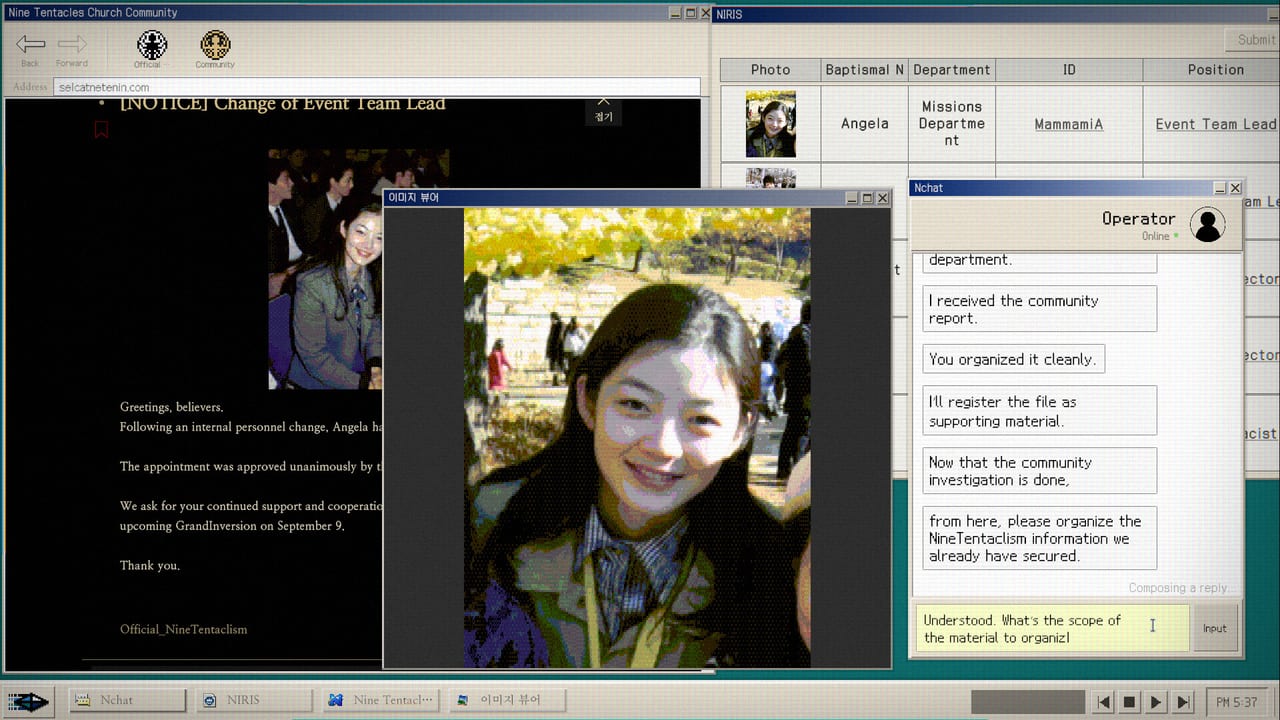
No Results Found is a text-heavy desktop mystery played almost entirely through a simulated computer interface. The game involves reading forum posts, filling organization charts, typing search queries, and navigating a simulated desktop environment. This page documents what is available for players with different accessibility needs and where the game presents challenges that have no built-in accommodation.
This page does not replace the official Steam store page for accessibility information. Check the store page for the most current developer-provided details. This wiki reflects what launch reviews, patch notes, and player reports have documented about the experience.
Visual design and color
The game runs on a simulated desktop with a dark background palette. Text is light-colored against dark surfaces. The color scheme includes teal and indigo accents that convey the Church of the Nine-Tentacled Octopus aesthetic.
Patch 1.2 applied filters to some images on web pages within the game. This was a visual readability improvement, not an accessibility feature. No color blind modes, high contrast modes, or font size options were documented in patch notes through version 1.2.
For players who need larger text, the game window can be resized in Windowed Mode after patch 1.2. The simulated desktop resolution inside the window does not scale, but a larger outer window may make the overall interface easier to read. Details on window resize are on the macOS Notes and Known Issues pages.
Motion and flashing content
The DODGE minigame contains fast-moving objects that could pose a risk for players with photosensitive epilepsy. The minigame is optional for story progression and can be avoided entirely by players who know it triggers symptoms. The DODGE guide is on How to Beat DODGE.
Outside of DODGE, the game is largely static. Page transitions and panel opens use standard UI animations. No documented motion warnings appear in the game or on the store page as of patch 1.2.
Reading load and cognitive accessibility
No Results Found is intentionally dense. The product is a closed case that requires sustained reading, note-taking, and the ability to hold multiple partial identities in memory while filling an organization chart. The experience is designed around these activities.
There is no built-in notepad or bookmark system beyond the in-game memo tool. The memo is a simple text field that persists during the session. Players who benefit from external note-taking systems should keep the Search Notebook open alongside the game.
The Search Notebook page on this wiki is designed to replicate the checklist function that some players use externally. It includes fields for names, keywords, community handles, and chart progress.
Text input and IME considerations
Japanese, Korean, and Chinese input can freeze older builds if full-width characters are typed directly into the search field. This is documented on Typing and IME and Known Issues.
The workaround is to type into the memo field first, then copy and paste into the search field. This applies to all CJK languages. Windowed mode after patch 1.2 also provides a recovery path when the field is frozen.
For players using screen readers, the simulated desktop contains standard UI controls. The search field accepts plain text. The memo field is a standard text input. The organization chart uses clickable slots. Specific screen reader compatibility has not been independently verified or documented by the developer as of patch 1.2.
Audio considerations
The game includes ambient desktop sounds and music. The Government-Approved Medicine achievement requires interacting with the music. Background audio is not required for any puzzle solution. The Desk Music and Memo page covers the audio achievement.
No subtitle system, closed captioning, or audio description was documented in patch 1.2. The game is primarily a reading experience.
Controller and input
No Results Found is designed for mouse and keyboard. The primary interactions are clicking UI elements and typing into search fields. No controller support was documented in patch 1.2.
The Controls page covers the full input surface including keyboard shortcuts and mouse behavior.
What to do when accessibility needs block progress
If a specific accessibility barrier prevents progress and no workaround is documented on this wiki, the Bug Reports page has the developer contact email: zzangdolgames@gmail.com. The developer has responded to bug reports historically. Accessibility feature requests that are not documented bugs may be best submitted as feedback rather than bug reports.
For players who cannot use the search interface due to visual or motor differences, the Walkthrough provides the full spoiler route including all search terms and chart fillings. Use it at your discretion. The walkthrough does not change the game but provides every answer so the reading and chart-filling load becomes the primary activity.
The Endings page covers the two report outcomes without requiring the full investigation if you only want to see one ending. Completionists who need all ten Steam achievements including DODGE scores should budget extra time and consider the 100 Percent Checklist.
This accessibility page reflects documented features and known limitations through patch 1.2. Check the Updates Hub for any future patches that add accessibility features.
Frequently Asked Questions
Quick answers for investigators who just hit a dead search.
Does No Results Found have a color blind mode?
No color blind mode was documented in patch notes through version 1.2. Window resize in patch 1.2 may help with reading, but the color scheme itself is not adjustable.
Is DODGE safe for players with photosensitive epilepsy?
DODGE contains fast-moving objects. It is optional for the story and can be skipped. Completionists should be aware before entering the minigame.
Can I use CJK input methods without the search field freezing?
Type into the memo first, then copy and paste into the search field. Windowed mode after patch 1.2 also provides a recovery path.
Does the game support screen readers?
The UI uses standard controls but specific screen reader compatibility has not been confirmed by the developer through patch 1.2.