No Results Found Soundtrack and Audio Guide
The desk hum, the Church ambient tracks, and the Government-Approved Medicine achievement.
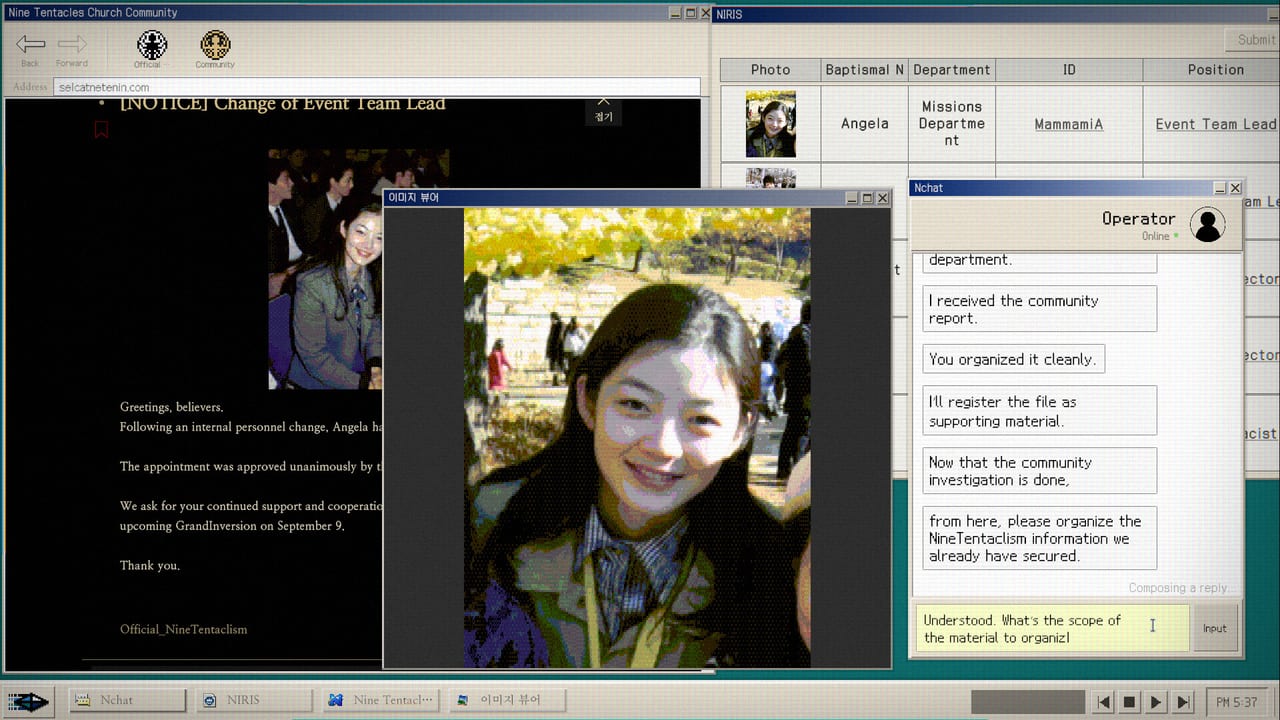
No Results Found is a desktop mystery played almost entirely through a simulated computer interface. The audio design reinforces the fiction of sitting in a government office investigating a closed cult case. This page covers the ambient soundscape, the desk music achievement, and how to access the soundtrack through Steam.
This page does not replace the developer commentary or the Steam store page. Check those for official audio credits.
Ambient soundscape
The game runs on a simulated NIRA desktop. The ambient layer includes the hum of an office environment, the sound of a mechanical keyboard for typing, and the subtle audio cues that signal when a new window has opened or a search has returned results.
These ambient sounds are not optional atmosphere. Some players report that the keyboard sounds are part of why they left audio on during the investigation. Korean reviews specifically mentioned the keyboard sound of the simulated desk as a positive detail. The audio reinforces the fiction that you are a government researcher at a workstation, not a player at a game console.
Ambient audio is not required for any puzzle solution. No search term, no chart slot, and no report answer depends on sound. You can play with audio muted and miss nothing mechanically. The Government-Approved Medicine achievement is the exception: it requires interacting with the music player on the desk, but the sound itself is not the solution.
Government-Approved Medicine
Steam’s public name for this achievement frames it as losing yourself in the music. The interaction is simple: find the audio player on the NIRA desk and interact with it until the badge unlocks. The achievement is not about listening to a specific track for a specific duration. It unlocks on first interaction with the desk music.
If the track does not start, click the obvious player or disc on the desk rather than hunting for a settings menu. Patch 1.1 fixed assorted UI bugs; if music still refuses on a current build, mail zzangdolgames@gmail.com with a screenshot.
The music player on the desk is one of the few interactive objects outside the browser. Players who ignore the room to focus entirely on the browser miss this badge and the Write First, Think Later achievement on the memo. Both desk achievements sat in the middle of the global unlock chart in the first weeks after launch, well above DODGE and below the search achievements.
Steam Music library
The main problem that most users confront is that the original soundtrack does not show up when looking through the Steam Music Library. Even when downloaded, it can be difficult to track down through file searches.
This is a known limitation of how the game ships its audio. The in-game music plays through the game engine, not through Steam’s music overlay system. If you want the soundtrack tracks as standalone audio files, check the game directory under the Steam library folder for audio assets after installation.
The Steam store page for No Results Found does not list a separate soundtrack add-on. The music exists inside the game as environmental audio, not as a purchasable or downloadable soundtrack package. Some players have reported success finding audio files in the game install directory, but this is not officially documented.
Audio and the investigation
The game does not use audio as a puzzle signal. No clue is delivered exclusively through sound. No search term requires you to hear a specific audio cue. The audio layer exists to maintain the fiction of the desktop environment, not to add a secondary information channel.
This means you can play with headphones, speakers, or muted, and the investigation remains identical. The difference is atmosphere. Players who kept audio on during the community phase reported that the keyboard sounds and ambient office hum made the forum scrape feel more like work and less like a game, which is exactly what the audio design intends.
What to do if audio cuts out
If the desk music or ambient sounds stop playing during a session, the first fix is to check the Windows volume mixer. Steam games sometimes appear in the mixer with audio muted or reduced. Open the volume mixer while the game is running, find the No Results Found process, and confirm the slider is up.
If the mixer looks correct and audio still drops, the next step is to verify the game files through Steam: right-click the game in your library, select Properties, then Local Files, then Verify Integrity of Game Files. Corrupted audio assets can cause dropouts.
If audio works in other games but not in No Results Found, check the Windows sound device settings. The game uses the default audio device at launch. If you have changed audio devices or enabled/disable devices since installation, the game may be routing to a disconnected device.
For persistent audio issues after patch 1.2, mail zzangdolgames@gmail.com with your build number and a description of when the audio cuts out. The developer has responded to audio bug reports historically.
Audio and accessibility
The game has no subtitle system, closed captioning, or audio description through patch 1.2. The audio layer is purely atmospheric. Screen reader users should note that the game is primarily a reading experience, and the audio does not provide information not available in the text layer.
For players who need the game quiet, muting is safe. Nothing in the investigation depends on audio cues. The Government-Approved Medicine achievement unlocks on interaction, not on listening.
Audio in the community phase
One detail that players notice in the community phase is that the in-game browser pages have their own visual and audio context within the fiction. The Church homepage, the members-only board, and the NIRA Database each feel like different corners of the internet. The audio does not change between these pages in a way that provides puzzle information.
The variation is atmospheric. The Church site feels like a dated forum. The members-only board feels more urgent. The NIRA Database feels institutional. These distinctions are conveyed through visual design and the context of the text, not through audio cues.
For the desk tools that include audio, use Desk Music and Memo. For the keyboard and typing sounds, use Controls. For audio in the context of the full playthrough, use the Walkthrough.
Frequently Asked Questions
Quick answers for investigators who just hit a dead search.
How do I unlock Government-Approved Medicine?
Interact with the audio player on the NIRA desk in the room. Click the visible player or disc until the badge unlocks. It unlocks on first interaction, not on listening to a specific track.
Where is the soundtrack in Steam Music?
The in-game music does not appear in the Steam Music Library by default. The audio plays through the game engine, not through Steam's music system. Check the game install directory for audio files.
Can I play with audio muted?
Yes. No puzzle, search term, chart slot, or report answer depends on audio. Muting is safe for all investigation content.
Audio cut out during play. What do I do?
Check the Windows volume mixer for the game process first. Then verify game files through Steam. If the issue persists after patch 1.2, mail zzangdolgames@gmail.com with your build number.