No Results Found on macOS
Patch 1.2 added a Mac build. The desk is still a typing mystery. Bring a keyboard.
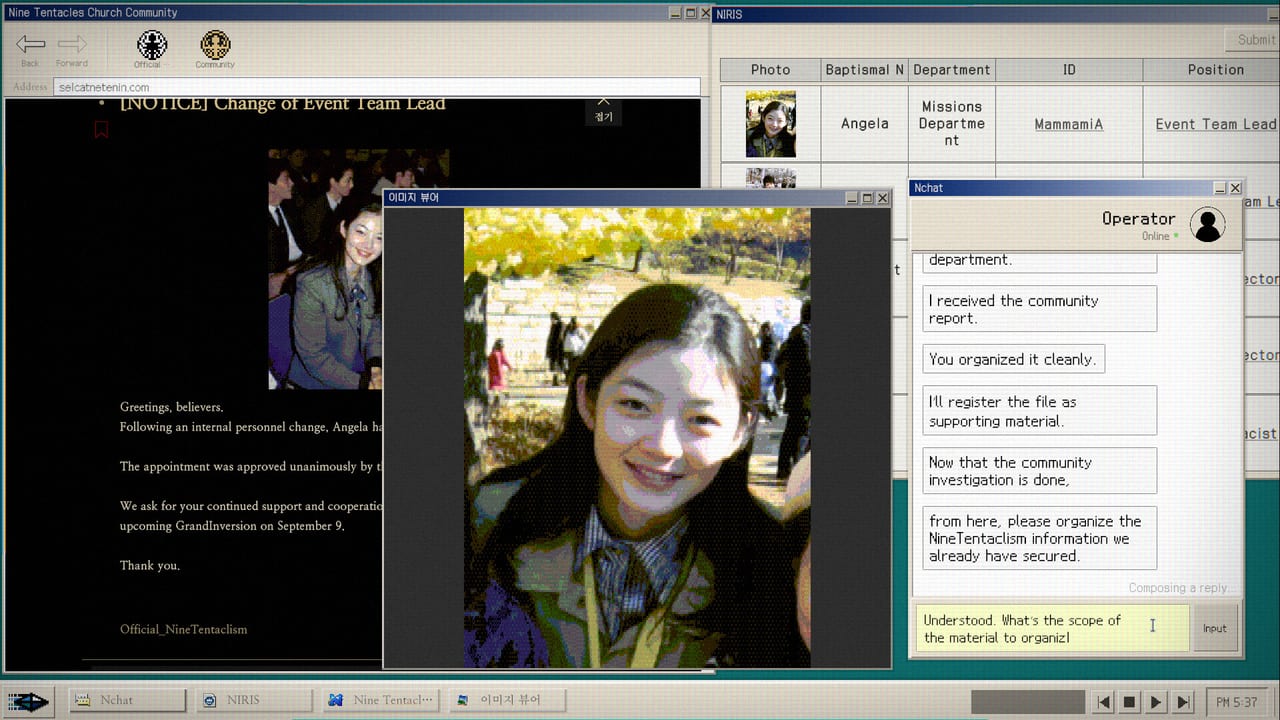
Patch 1.2, posted 21 August 2026, is the first official note that adds macOS support for No Results Found. Until that build the store listed Windows only. The Steam platforms flag now reads Windows true, Mac true, Linux false. This page exists because people will search Mac the same week they search System Requirements. The fiction is still a NIRA researcher at one desk. The product is still a search loop with no highlighted clues. A MacBook is a different chassis, not a different case.
This wiki is unofficial. We do not ship the executable. Confirm the platform line on the Steam store page after Steam finishes downloading 1.2. If your library still shows Windows only, update the client, then check the Mac depot. Do not install a random compatibility layer and mail zzangdolgames@gmail.com a Wine log. The Bug Reports inbox is for the shipped Windows and Mac builds.
What Steam actually lists
Languages after 1.2: Korean, English, Japanese, Simplified Chinese, Traditional Chinese. Categories still include single-player, Steam Achievements, and Family Sharing. There is still no multiplayer. There is still no Linux listing. There is still no Steam Deck Verified stamp; handheld notes stay on Steam Deck.
The Windows minimum sheet is unchanged: Windows 10 64-bit, Intel Core i3-6100, 8 GB RAM, Intel UHD Graphics 620, DirectX 11, 2 GB disk. A Steam API snapshot taken the day this page was written still returned an empty mac_requirements array. Treat that honestly. Do not invent a Mac GPU line Valve has not printed. Until a Mac minimum appears on the store, assume you need enough RAM to keep a browser-like desk open, a real keyboard, and a mouse or trackpad you can aim. 8 GB and 2 GB disk are the numbers we already trust on Windows. Reading a simulated forum is light. Typing exact proper nouns is the real cost.
Why a Mac still fights this game if you type badly
Important clues are not highlighted. Progress is comments, usernames, photo text, and near-miss spellings. That loop wants a keyboard you trust. Marco versus Makor is still one letter. A laptop with a shallow key travel and a trackpad is playable. It is not the intended NIRA office. Plug a USB or Bluetooth keyboard if the search field fights you. Keep the Search Notebook on a second screen or a phone.
Patch 1.2 also lets you resize the window in Windowed Mode. The in-game resolution itself does not change. On a Mac that means you can drag the chrome to sit beside Notes.app; the simulated 16:9 desk inside stays authored. Use that if you want the memo visible. Patch 1.0.1 already fixed non-16:9 display. If a Mac panel is 16:10, prefer a 16:9 window after 1.0.1 rather than stretching the fiction. Controls covers the search field and IME. Japanese fullwidth input that froze older builds is a known-issue lane; windowed mode from the in-game control panel is the workaround players already published. See Known Issues and Save and Load.
Chats can auto-advance. Screenshot with the Steam overlay. Notes that will not save are not a Mac-only bug. Mail support with your build number if the memo clears after a restart on either platform.
DODGE still wants pointer precision. Trackpads can do Maniac. Master is still a clean 2,000 after the 1.2 score-multiplier bump. Finish Accuse or Connive on Endings before you farm How to Beat DODGE on a laptop in a cafe.
What to do on first Mac launch
Update to 1.2 so you have Chinese and Mac support plus everything from 1.1, 1.0.2, and 1.0.1. Set the Steam language to the one you type fastest. This wiki will not add a Chinese locale; play Chinese on Steam and keep this site in English, Japanese, or Korean. See Languages. Grant the game whatever accessibility or input permissions macOS asks for so the search field can take keystrokes. Sit in a 16:9 window if the room looks smashed. Copy strings. Do not scrape the real Safari for cult URLs. The index lives in the simulated browser.
Family Sharing is listed. That is a Steam account feature, not a couch session. There is still one investigator at one desk. Linux remains unofficial. A community Proton report is not a patch note.
How this page connects
New players still start at How to Play. Specs still live on System Requirements. Ultrawide, windowed resize, and search-field fights live on Controls. Unsaved notes and leftover untranslated UI live on Known Issues. The 100 Percent Checklist does not care whether your chassis is aluminum. It cares about two filings and two DODGE scores.
Until Steam prints a Mac minimum, assume you are bringing a typewriter mystery onto a laptop. That can be charming. It is now a supported download. It is still not a hint button. The Church still wants you to notice what is not highlighted.
Frequently Asked Questions
Quick answers for investigators who just hit a dead search.
Is there an official Mac version?
Yes, as of patch 1.2. Steam lists macOS as a platform. The detailed Mac spec table was still empty on the API snapshot this wiki checked.
Does Mac change the mystery?
No. Same search loop, same ten achievements, same Accuse and Connive. Bring a keyboard. Do not search in Safari.
Will it run on Linux or Steam Deck now?
Linux is still not listed. Steam Deck is still unverified. 1.2 added Mac, not a handheld badge.